

Outgoing students
BEFORE YOU LEAVE
SCHOLARSHIP ALLOCATION AND ACCEPTANCE OF THE DESTINATION
Students will participate in a meeting on pre-established days for the choice of the destination and the allocation of the scholarship.
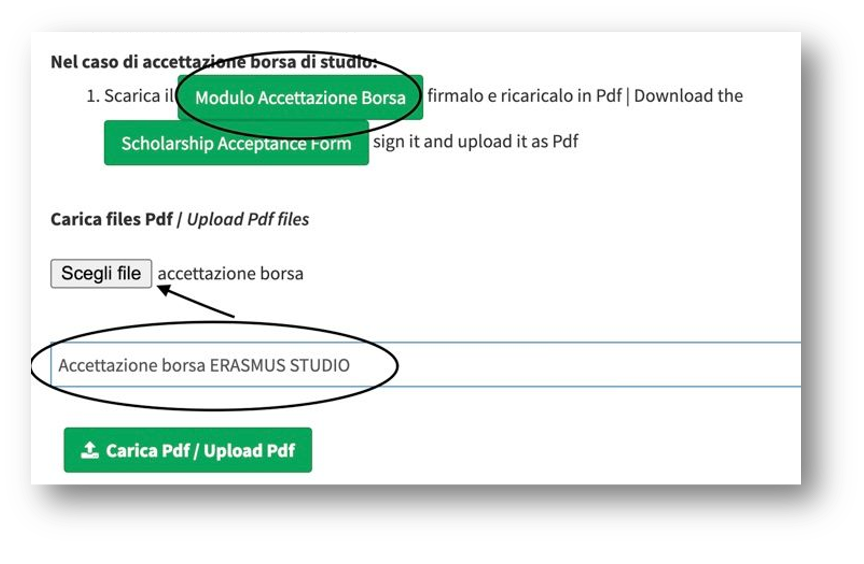
Following the selection of the destination for the period abroad, students will need to enter MOBINT to accept their Erasmus+ scholarship by filling in the “Acceptance Form" (modulo accettazione borsa) on the initial screen. Students will have to sign it and upload it in .pdf format to their personal page on MOBINT according to the indications - see screenshot
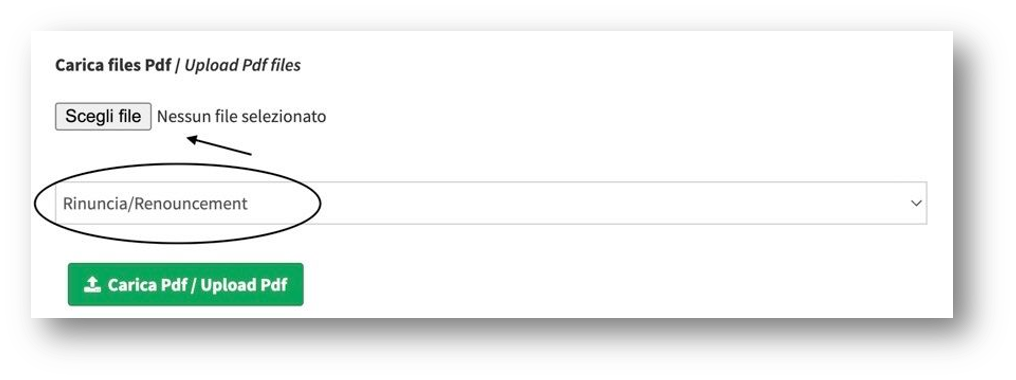
In case students decide to reject the Erasmus+ scholarship, they must fill in and sign the modulo di rinuncia mobilità available at the bottom of their personal page on MOBINT according to the indications - see screenshot
LEARNING AGREEMENT
After the host university has been assigned, students will have to sign the Learning Agreement (L.A.), which lists all the activities students will carry out during their mobility and their recognition at the School of Economics upon their return.
To prepare their L.A., students must:
- check the website of the host university and find the courses that can be compatible with their study plan, considering any conditions specified by the host university;
- get in contact with their programme coordinator/office to submit a draft proposal of their L.A.;
- after the programme coordinator has approved the proposal, students are allowed to create their L.A. through MOBINT so that it can be signed by the Erasmus+ academic coordinator at the School of Economics and the host university. Students must enter the following link using their Delphi credentials (matricola and password).
Click on CONTACTS to learn about the procedures to follow for each degree programme.
SIGNATURE OF THE LEARNING AGREEMENT
Once the Erasmus+ academic coordinator has signed it, the L.A. must be forwarded to the Host University to be countersigned.
- If the host university uses the EWP (Erasmus Without Paper) system, the L.A. will be digitally forwarded. Therefore, students do not need to take any action.
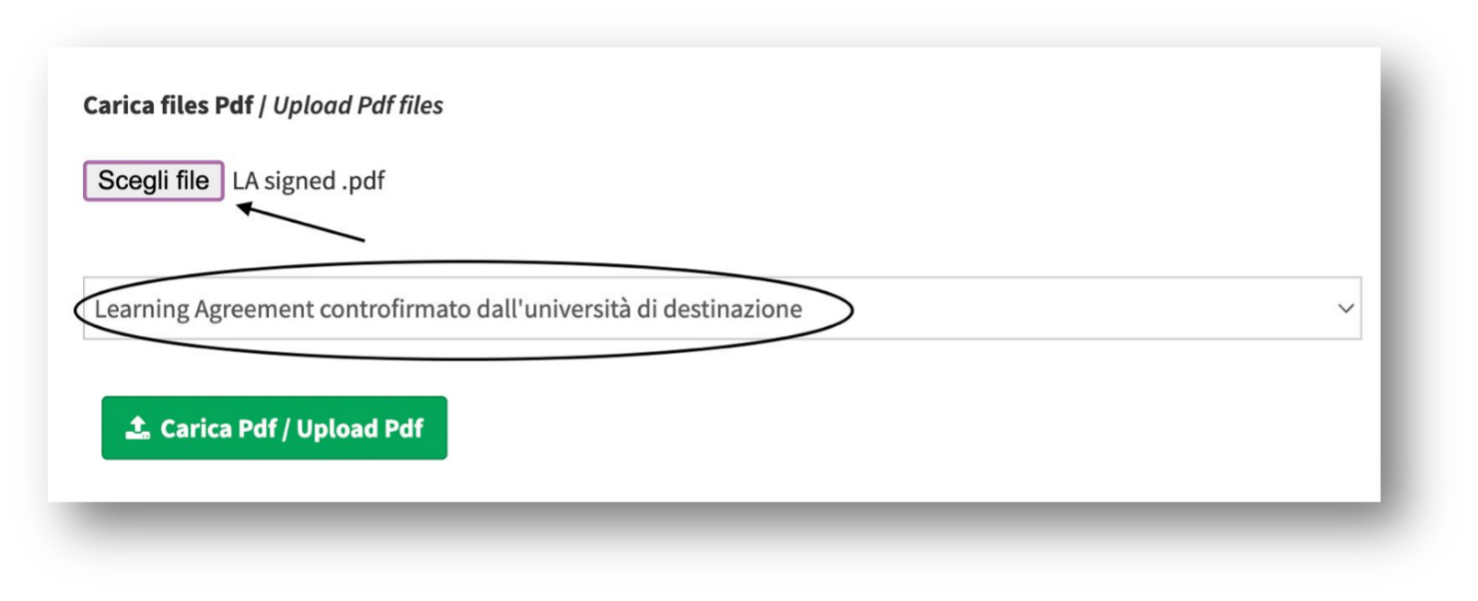
- If the host university does not use the EWP system, students must download the signed L.A. and send it to the university. With all the signatures from both universities, the L.A. must be uploaded to the MOBINT personal page - see the screenshot.
MOBILITY AGREEMENT (ACCORDO DI MOBILITÀ)
It's the contract for the Erasmus+ stay, which contains the terms & conditions to be followed during the exchange period.
Without having downloaded and signed it, students are not allowed to leave!
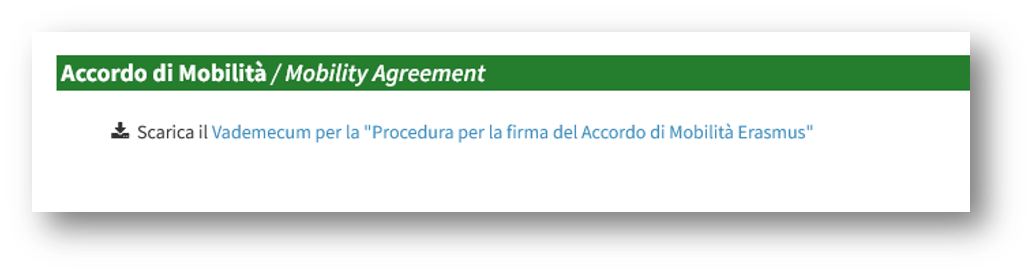
Students can start with the Mobility Agreement only after having completed their L.A. The Mobility Agreement is on MOBINT. For reference, students can check the guide, which contains the useful steps to be followed - see the screenshot.
For any support concerning the mobility agreement, please contact: outgoing@erasmus.uniroma2.it
DURING YOUR STAY
CONFIRMATION OF ARRIVAL
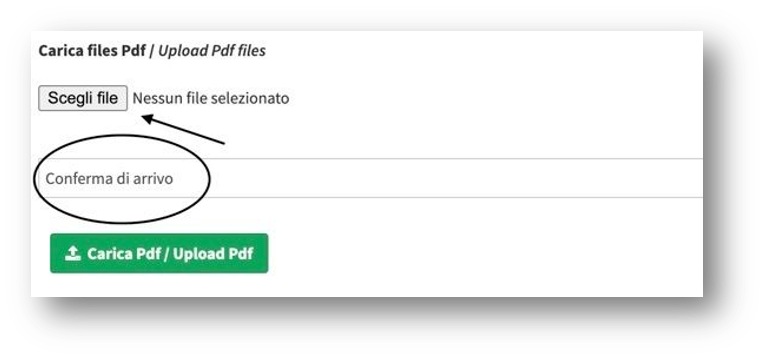
The Confirmation of Arrival must be filled in and signed by the host institution. Once signed, students must upload it on their MOBINT personal page under conferma di arrivo according to the screenshot.
Corrections or mistakes in the confirmation of arrival are not allowed.
The host university's own format for the confirmation of arrival is accepted if it's on headed paper and includes date, stamp and signature as described before.
Students will have to upload the boarding pass (carta di imbarco) as well.
CHANGES TO THE LEARNING AGREEMENT
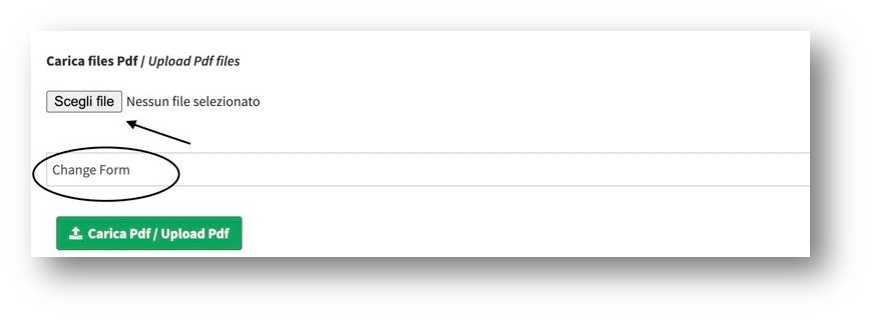
The Learning Agreement may be modified if necessary (e.g. overlapping of classes, new subjects and so on). Proposals for changes to the Learning Agreement must be sent to the programme coordinator for approval - see the contacts and procedures. Once the proposal has been approved, students must fill in the CHANGE FORM by using their Delphi credentials (matricola and password) to enter this link.
Once the change form has been filled in, students must wait for approval through the platform. Then, the change form can be forwarded to the Host University to be countersigned.
- If the host university uses the EWP (Erasmus Without Paper) system, the change form will be digitally forwarded. Therefore, students do not need to take any action.
- If the host university does not use the EWP system, students must download the change form and send it to the university. With all the signatures from both universities, the change form must be uploaded to the MOBINT personal page - see the screenshot.
REQUEST FOR EXTENSION
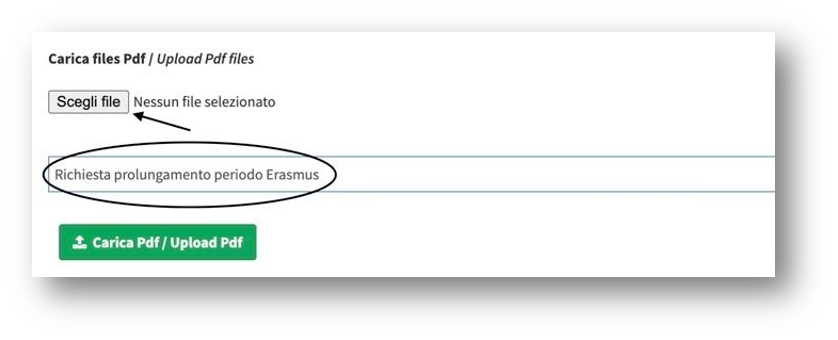
Students can extend their mobility period up to the spring semester, but in accordance with the Host Institution. Permission to extend the stay has to be addressed to the Host Institution by filling in the Extension Form
In case the Host Institution agrees with your request for an extension, the form must be signed by Mrs Susanna Petrini as well, and then it has to be uploaded to your MOBINT personal page - see the screenshot.
BEFORE YOUR RETURN
At the end of their Erasmus+ mobility period and before leaving the host university, students must ensure they get the following documents:
- Confirmation of departure, signed and stamped by the host university.
Corrections or mistakes in the confirmation of departure are not allowed.
- Transcript of records. It's the certificate of exams taken abroad, issued by the host university at the end of the Erasmus+ mobility.
Some universities may send the transcript of records at a later date.
UPON YOUR RETURN
After returning from the mobility period, by at most 15 days after the end of the mobility, students must upload the following documents on the MOBINT platform:
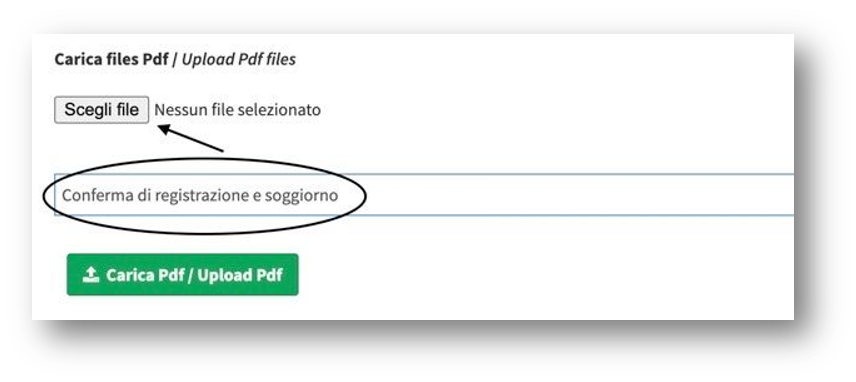
✓ Confirmation of departure signed and stamped by the Host University containing the exact dates of arrival and departure. It must be uploaded under “conferma di registrazione e soggiorno”, according to the screenshot.
The host university's own format for the confirmation of departure is accepted if it's on headed paper and includes the date, stamp, and signature.
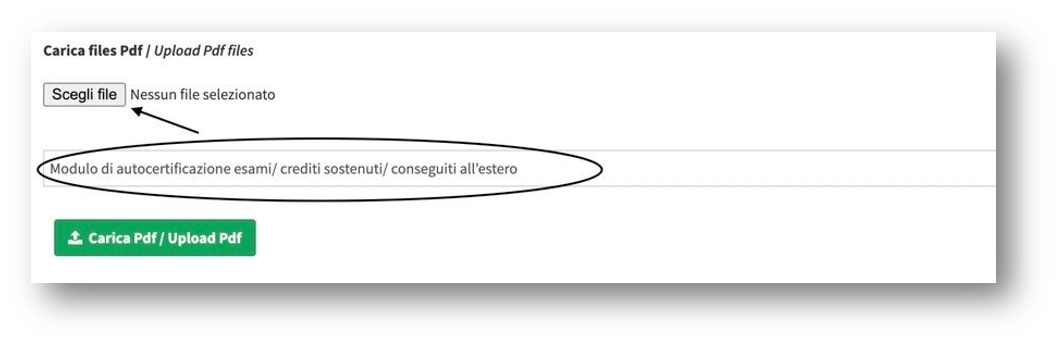
✓ Self-certification of the exams taken abroad, listing all the exams taken abroad with credits. FORM
It must be uploaded to your Mobint personal page under modulo di autocertifiazione esami according to the screenshot
✓ Participant Report to be filled out online on the website indicated by e-mail by the EACEA.
For any support regarding the documents related to your return, please contact: outgoing@erasmus.uniroma2.it
RECOGNITION OF EXAMS
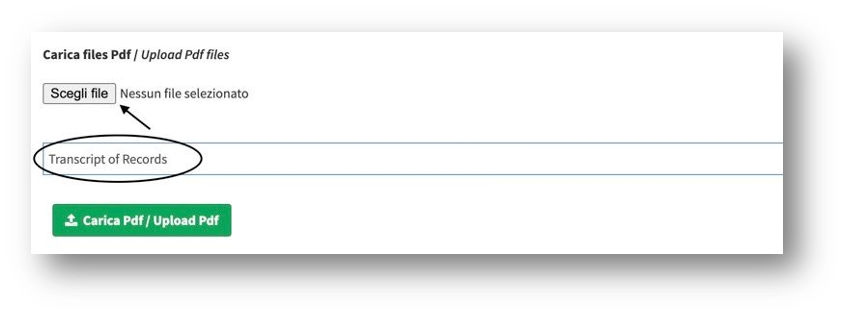
Once the Transcript of Records has been obtained, students must upload it into their MOBINT personal page, according to the screenshot
Once all the documents have been uploaded and students have received the nulla osta (this nulla osta certifies that the student has correctly completed all the procedures related to their return), it will be necessary to book an appointment with Mrs Susanna Petrini for the translation of the grades, e-mail: petrini@economia.uniroma2.it. Following the translation of the grades, the exams and credits will appear into DELPHI after 2 months aprox.
For the grading tables, students can view the following link: Conversion Tables